
Beginner Guide
Learn the teacher-versus-students match loop, what to check before class, and how recent demo changes affect your first Worst Class Ever session.
Start with the role, not the crowd
Worst Class Ever puts a human-controlled teacher against students who hide among NPC classmates. The students cause mischief while avoiding detection; the teacher tries to identify and catch them. The demo is advertised for up to six people, with one teacher and up to five student players. Do not mistake every person sitting in the room for another online player.
For your first match, make one decision before doing anything elaborate: learn the responsibilities of the role you have actually received. A student needs opportunities to misbehave without becoming an obvious target. A teacher needs useful evidence, rather than a guess based only on which character looks unusual.
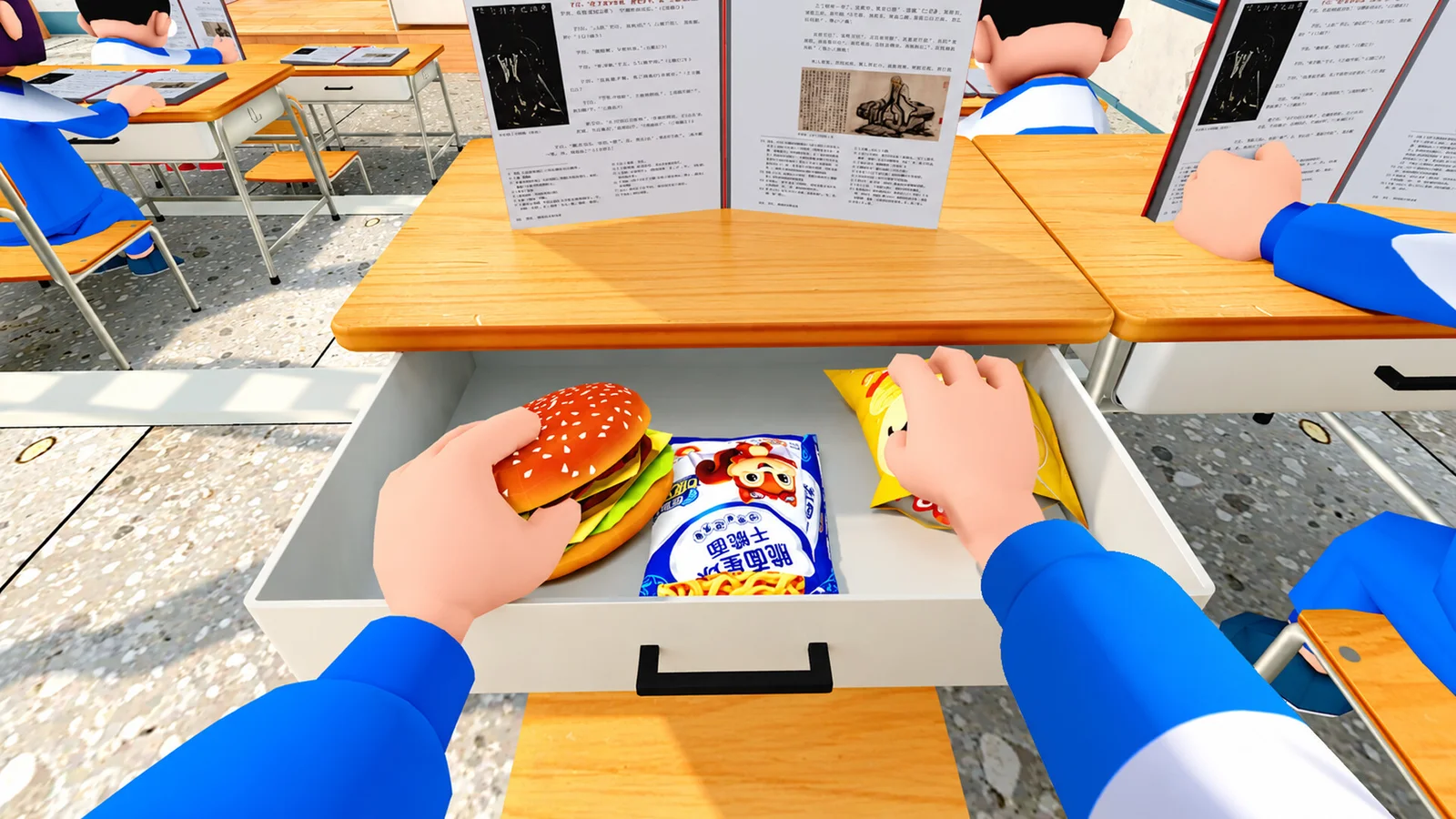
Before class begins
Use the current in-game tutorial and control prompts. The developers revised onboarding and translations in the October 14 update, and also fixed an issue with custom keybindings. A video recorded before that patch may show an older setup or a control binding chosen by its creator.
If you are joining friends, agree on the same game version and wait until everyone has reached the intended room. A match in progress is not the best moment to diagnose an absent teammate: the October 17 room changes specifically allow new players to join after a round finishes. Our friends guide explains that distinction.
A useful first round as a student
Begin by watching the teacher and the NPC crowd. Choose a simple mischief opportunity instead of trying every item at once. The basic activities described by the game include eating snacks, passing notes and using a phone in class.
After acting, think about what made you visible: the timing, the route you took, or the fact that you kept repeating an action. This is a learning framework, not a claim that any one animation guarantees safety. NPC behavior was expanded in October, so an old rule such as “only players leave their seats” is unreliable.
Once you understand the basic loop, add movement options. Crawling and opening classroom back doors were introduced in the October 21 demo update. Learn them in context rather than treating either as an automatic escape.
A useful first round as the teacher
Look for an action you can explain before committing to a chase. Where did it happen? What was the student doing? Can you distinguish that event from the surrounding NPC activity? Those questions are more useful than chasing the first moving character.
Pay attention to the room as well as the target. A route between desks, a doorway and a computer-filled room do not present the same view. Your early objective should be understanding how much of the class you can monitor from a position, then changing that position when you lose useful information.
Do not judge balance from one lobby
Demo 0.1.9 changed objectives and item spawning according to the number of student players. Fewer students reduce the mischief requirement, while other rules help the teacher or change item availability as the group grows. A small session therefore does not reproduce every condition of a full lobby.
For a productive second round, change one thing: try the other role, a different classroom, or one new item. That makes it easier to understand what helped. This guide is based on official descriptions and update notes, not a claimed hands-on test; exact bindings and on-screen conditions should be checked in your installed build.
Related guides
Sources and version
Checked November 1, 2026. These guides use official descriptions and dated updates, not claimed personal playtesting.
- Steam Demo store
- Steam full-game store
- [School-Wide Announcement] 10,000+ Players on Day 1! Emergency Repairs Completed
- Worst Class Ever Demo 0.1.9 Update Announcement
- [School-Wide Announcement]200K Reached in 7 Days! New Gameplay Update Complete
- [School-Wide Announcement]300K Reached in 10 Days! Computer Lab out now!
Related Articles
game-info
How to Download the Free Demo
Find the official Worst Class Ever Demo on Steam, check the Windows requirements, and learn how its six-player version differs from launch plans.
game-info
Demo Update History
Track the major Worst Class Ever demo updates: friend invites, room joining, player-count balance, crawling, back doors and the fourth-floor Computer Lab.
game-info
Demo vs Full Game: Players and Planned Features
Compare the current six-player Worst Class Ever Demo with the announced eight-player full release, new classrooms, room settings and language support.
Was this helpful?
Thanks for the feedback!